FIND DATA: By Journal | Sites   ANALYZE DATA: Help with R | SPSS | Stata | Excel   WHAT'S NEW? US Politics | IR | Law & Courts🎵
   FIND DATA: By Journal | Sites   WHAT'S NEW? US Politics | IR | Law & Courts🎵
WHAT'S NEW? US Politics | IR | Law & Courts🎵

A Microsoft Excel® Companion to Political Analysis

Put political analysis into practice with Excel

Follow guided examples, work with real political data, and build spreadsheet skills you can use in your own research. Find the book, prepare for your first lab, or jump to your chapter's resources.

Sage handles purchases and instructor-copy requests; instructor copies are subject to Sage's eligibility requirements.

Preview sample chapters from Sage
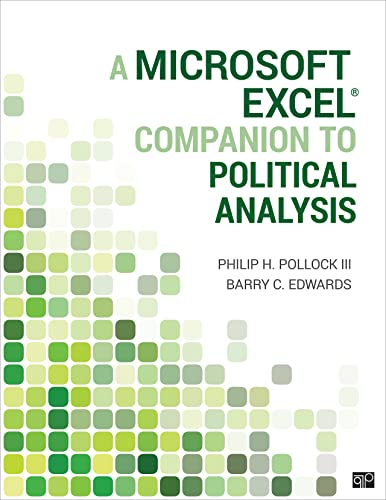
A Microsoft Excel® Companion to Political Analysis, First Edition cover

About the Book

A practical guide to political analysis with a familiar spreadsheet. Students progress from descriptive statistics and comparisons to hypothesis testing, regression, and their own research projects.

Why Teach with This Companion?

Pairs with The Essentials of Political Analysis, Seventh Edition or another research methods text. Related-reading links on this page use the seventh edition; the book's printed references use the sixth.

Product Details

Authors
Philip H. Pollock III and Barry C. Edwards
Edition
First edition
Publisher
CQ Press, an imprint of Sage
Publication date
January 2022
Formats
Paperback and ebook
Pages
384
Paperback ISBN
978-1-0718-1335-5
Ebook ISBN
978-1-0718-1332-4

Examples use desktop Excel 365, primarily on Windows; Mac menus and shortcuts may differ. The book uses the Data Analysis ToolPak, with Solver and the Real Statistics add-in for later analyses.

For Students

For Instructors

Request an instructor copy from Sage.

Access the solutions manual through Sage. Instructor materials require Sage instructor access.

Explore sample syllabi for course planning.

Workbook and publisher-account questions can be directed to Sage support.

Sample Tutorial Videos

Contents and Chapter Resources

Expand a section for its overview, outline, and supporting materials. Numbered chapters include practical exercises; instructor solutions are accessed separately through Sage.

Front Matter
Publication information and guidance for using the book in a political analysis course.
  • Copyright
  • List of Figures
  • Preface
    • Workbooks and Chapter Exercises
    • Chapter Organization
    • Advantages and Disadvantages of Teaching with Excel
    • Accompanying Core Text
    • Acknowledgments
    • About the Authors
Getting Started

Find and download the companion workbooks, identify the version of Excel used in the book, and locate tutorial videos. Learn which add-ins support later analyses so you can prepare your computer and follow the guided examples.

  • Downloading the Companion Workbooks
  • What Version of Excel Is Needed?
  • Watch Tutorial Videos on Demand
1. Using Excel for Data Analysis

Organize analysis with workbooks and worksheets, activate data analysis add-ins, and distinguish formulas, functions, and tools. Define names for cells and ranges, keep analysis separate from data, format and save tables and figures, and use Excel help to solve problems.

  • 1.1 Workbooks and Worksheets
  • 1.2 Activating Data Analysis Add-Ins
  • 1.3 Formulas, Functions, and Tools
  • 1.4 Defining and Using Names
  • A Closer Look: Keyboard Shortcuts
  • 1.5 Separating Analysis from Data
  • 1.6 Printing and Saving Your Work
  • 1.7 Formatting Tables and Figures
  • 1.8 Getting Help
  • Chapter 1 Exercises

In the book: Learning objectives, 10 practical exercises.

Get companion workbooks from Sage

Related reading: Essentials, 7e, Chapter 1: The Definition and Measurement of Concepts

Chapter tutorial videos

For instructors: Solutions manual (Sage instructor access required).

Defined terms: Workbook, Worksheet, Cell references, Field, Ribbon, Add-ins, Formulas, Functions, General syntax, Dialogs, Data Analysis tools, Arguments, Names, Tables, Charts

2. Descriptive Statistics

Choose descriptive statistics for nominal, ordinal, and interval-level variables. Create frequency distributions and bar charts with pivot tables, compare central tendency and dispersion, use the Data Analysis ToolPak for numeric summaries and histograms, and sort observations to obtain case-level information.

  • 2.1 Identifying Levels of Measurement
  • 2.2 Describing Nominal Variables
    • 2.2.1 Frequency Distribution Tables
    • 2.2.2 Bar Charts
    • 2.2.3 Central Tendency and Dispersion
  • 2.3 Describing Ordinal Variables
    • 2.3.1 High Dispersion Example
    • 2.3.2 Low Dispersion Example
  • 2.4 Describing Interval Variables
    • 2.4.1 Descriptive Statistics with the Data Analysis ToolPak
    • 2.4.2 Histograms
    • A Closer Look: Editing Charts with Purpose
  • 2.5 Case-Level Information
  • Chapter 2 Exercises

In the book: Learning objectives, 10 practical exercises.

Get companion workbooks from Sage

Related reading: Essentials, 7e, Chapter 2: Measuring and Describing Variables

Chapter tutorial videos

For instructors: Solutions manual (Sage instructor access required).

Defined terms: Level of measurement, Frequency distribution table, PivotTable, Bar chart, Skewness, Kurtosis, Histogram

3. Creating and Transforming Variables

Use formulas and functions to create variables, generate indicator variables, and recode numeric values into simpler categories. Build a clear recoding protocol, use filter-and-fill and sort-and-fill methods, and center or standardize numeric measures for subsequent analysis.

  • 3.1 Using Formulas and Functions to Generate New Variables
  • 3.2 Creating Indicator Variables (“Dummy Variables”)
  • 3.3 Recoding Interval-Level Variables into Simplified Categories
  • 3.4 Centering or Standardizing a Numeric Variable
  • Chapter 3 Exercises

In the book: Learning objectives, 10 practical exercises.

Get companion workbooks from Sage

Related reading: Essentials, 7e, Chapter 3: Creating and Transforming Variables

Chapter tutorial videos

For instructors: Solutions manual (Sage instructor access required).

Defined terms: Indicator variable, Recoding protocol, Filter and fill, Sort and fill, Center, Z scores, Standardize

4. Making Comparisons

Create and interpret cross-tabulations and mean comparison tables with pivot tables. Add counts and standard deviations, group values of interval-level independent variables, and build maps to compare political patterns across states and countries.

  • 4.1 Cross-Tabulation Analysis
    • 4.1.1 Comparing States Example
    • 4.1.2 Making Cross-Tabulations with Pivot Tables
    • 4.1.3 Interpreting Cross-Tabulations
  • 4.2 Mean Comparison Analysis
    • 4.2.1 Comparing Means with Pivot Tables
    • 4.2.2 Adding Counts and Standard Deviations
    • 4.2.3 Interpreting Results and Grouping Rows Together
  • 4.3 Making Comparisons with Interval-Level Independent Variables
  • 4.4 Creating Maps for Geographic Comparisons
  • Chapter 4 Exercises

In the book: Learning objectives, 10 practical exercises.

Get companion workbooks from Sage

Related reading: Essentials, 7e, Chapter 4: Proposing Explanations, Framing Hypotheses, and Making Comparisons

Chapter tutorial videos

For instructors: Solutions manual (Sage instructor access required).

Defined terms: Cross-tabulation, Independent variable, Dependent variable, Column percentages, Mean comparison table

5. Graphing Relationships and Describing Patterns

Select charts to fit binary, nominal, ordinal, and interval-level dependent variables. Build simple and clustered bar charts, line and area charts, stacked displays, box plots, and scatterplots, then edit chart elements to communicate relationships clearly.

  • 5.1 Graphing Relationships with Binary Dependent Variables
    • 5.1.1 Simple Bar Charts with Nominal Independent Variables
    • 5.1.2 Simple Line and Area Charts with Ordinal Independent Variables
    • 5.1.3 Charts with Interval-Level Independent Variables
  • 5.2 Graphing Relationships with Nominal-Level Dependent Variables
    • 5.2.1 Clustered Bar Charts with Nominal Independent Variables
    • 5.2.2 Multiple Line Charts with Ordinal Independent Variables
    • 5.2.3 Charts with Interval-Level Independent Variables
  • 5.3 Graphing Relationships with Ordinal-Level Dependent Variables
    • 5.3.1 Stacked Bar Charts with Nominal Independent Variables
    • 5.3.2 Stacked Area Charts with Ordinal Independent Variables
    • 5.3.3 Charts with Interval-Level Independent Variables
  • 5.4 Graphing Relationships with Interval-Level Dependent Variables
    • 5.4.1 Box Plots with Nominal Independent Variables
    • 5.4.2 Line Charts with Ordinal Independent Variables
    • 5.4.3 Scatterplots with Interval-Level Independent Variables
  • Chapter 5 Exercises

In the book: Learning objectives, 10 practical exercises.

Get companion workbooks from Sage

Related reading: Essentials, 7e, Chapter 5: Graphing Relationships and Describing Patterns

Chapter tutorial videos

For instructors: Solutions manual (Sage instructor access required).

Defined terms: Simple bar chart, Simple line chart, Area chart, Clustered bar chart, Multiple line chart, Stacked bar chart, Stacked area chart, Transpose, Chart Elements, Box plots, Interquartile range, Outliers, Scatterplot, Markers

6. Random Assignment and Sampling

Randomly assign subjects to experimental groups, check assignment, and evaluate treatment effects. Draw samples with or without replacement, explore systematic, clustered, and stratified sampling, select cases for qualitative comparisons, and use validation and forms to enter survey or experimental data.

  • 6.1 Random Assignment
    • 6.1.1 Two Groups with Equal Probability
    • 6.1.2 Multiple Groups with Varying Probabilities
  • 6.2 Analyzing the Results of an Experiment
    • 6.2.1 Assessing Random Assignment
    • 6.2.2 Evaluating the Effect of Treatment
  • 6.3 Random Sampling
    • 6.3.1 Simple Random Samples with Replacement
    • 6.3.2 Simple Random Samples without Replacement
    • 6.3.3 Systematic Random Samples
    • 6.3.4 Clustered and Stratified Random Samples
  • 6.4 Selecting Cases for Qualitative Analysis
    • 6.4.1 Most Similar Systems
    • 6.4.2 Most Different Systems
  • 6.5 Entering Data from Experiments or Surveys
  • Chapter 6 Exercises

In the book: Learning objectives, 10 practical exercises.

Get companion workbooks from Sage

Related reading: Essentials, 7e, Chapter 6: Research Design, Research Ethics, and Evidence of Causation

Chapter tutorial videos

For instructors: Solutions manual (Sage instructor access required).

Defined terms: Random assignment, Bernoulli distribution, Discrete distribution, Volatile, Random seed value, Simple random sample, Replacement, Systematic random sample, Data validation, Forms

7. Making Controlled Comparisons

Use pivot tables and slicers to add controls to cross-tabulations and mean comparisons. Interpret spurious, additive, and interactive relationships, visualize controlled comparisons, and work with interval-level control variables to assess whether a relationship holds within groups.

  • 7.1 Cross-Tabulation Analysis with a Control Variable
    • 7.1.1 Start with a Simple Cross-Tabulation
    • 7.1.2 Controlled Comparisons with Pivot Tables
    • 7.1.3 Controlled Comparisons with Slicers
    • 7.1.4 Interpreting Controlled Cross-Tabulations
  • 7.2 Graphing Controlled Comparisons with Categorical Dependent Variables
  • 7.3 Mean Comparison Analysis with a Control Variable
    • 7.3.1 Adding a Control Variable to Mean Comparison Tables
    • 7.3.2 Using Slicers for Controlled Mean Comparisons
    • 7.3.3 Interpreting Controlled Mean Comparisons
  • 7.4 Visualizing Controlled Mean Comparisons
  • 7.5 Controlled Comparisons with an Interval-Level Control Variable
  • Chapter 7 Exercises

In the book: Learning objectives, 10 practical exercises.

Get companion workbooks from Sage

Related reading: Essentials, 7e, Chapter 7: Making Controlled Comparisons

Chapter tutorial videos

For instructors: Solutions manual (Sage instructor access required).

Defined terms: Control variable, Controlled cross-tabulation, Slicer, Spurious relationship, Additive relationships, Interactive relationship, Controlled mean comparison table

8. Foundations of Statistical Inference

Simulate samples to understand estimates of population proportions and means. Explore sampling distributions, the normal distribution, standard errors, and the empirical rule; use companion worksheets and Excel functions to construct confidence intervals, margins of error, and t-based estimates.

  • 8.1 Estimating a Population Proportion
    • 8.1.1 Sample of Marbles Example
    • 8.1.2 Simulating Many Sample Proportions with Excel
    • A Closer Look: Using Probability Distributions to Simulate Raw Data
  • 8.2 Estimating a Population Mean
  • A Closer Look: Estimating the Population Standard Deviation with Sample Data
  • 8.3 Expected Shape of Sampling Distributions
    • 8.3.1 Central Limit Theorem and the Normal Distribution
    • 8.3.2 Normal Distribution of Sample Proportions
    • 8.3.3 Normal Distribution of Sample Means
    • 8.3.4 The Standard Normal Distribution
    • 8.3.5 Empirical Rule (68-95-99 Rule)
  • 8.4 Confidence Intervals and Margins of Error
    • 8.4.1 Critical Values for Confidence Intervals
    • 8.4.2 Excel Worksheet for the Confidence Interval of a Proportion
    • 8.4.3 Excel Worksheet for the Confidence Interval of a Mean
    • 8.4.4 Excel’s Confidence Functions
  • 8.5 Student’s t-Distribution: When You’re Not Completely Normal
    • 8.5.1 The t-Distribution’s Role in Inferential Statistics
    • 8.5.2 Critical Values of t-Distributions
  • Chapter 8 Exercises

In the book: Learning objectives, 10 practical exercises.

Get companion workbooks from Sage

Related reading: Essentials, 7e, Chapter 8: Foundations of Statistical Inference

Chapter tutorial videos

For instructors: Solutions manual (Sage instructor access required).

Defined terms: Inferential statistics, Population, Sample, Population parameters, Standard error, Sampling distributions, Standard error of a sample proportion, Probability density function, Cumulative density function, Standard error of a sample mean, Standard normal distribution, Confidence intervals, Critical values, Margin of error, t-Distribution, Degrees of freedom

9. Hypothesis Tests with One or Two Samples

Test claims about a single proportion or mean and differences between two proportions or means. Use confidence intervals and p-values, work with the Significance Testing Workbook, and conduct difference-of-means tests with the Data Analysis ToolPak and T.TEST function.

  • 9.1 Role of the Null Hypothesis
  • 9.2 Testing a Hypothesis about One Sample Proportion
    • 9.2.1 Start with Descriptive Statistics
    • 9.2.2 Confidence Interval Approach
    • 9.2.3 P-Value Approach Using the Z Score
  • 9.3 Testing the Difference between Two Sample Proportions
    • 9.3.1 Start by Comparing Proportions
    • 9.3.2 Confidence Interval for the Difference of Proportions
    • 9.3.3 Difference of Proportions Test
  • 9.4 Testing a Hypothesis about One Sample Mean
    • 9.4.1 Start with Descriptive Statistics
    • A Closer Look: Treating Census as a Sample
    • 9.4.2 Confidence Interval Approach
    • 9.4.3 P-Value Approach Using the t-Statistic
  • 9.5 Testing the Difference between Two Sample Means
    • 9.5.1 Start by Comparing Means
    • 9.5.2 Confidence Intervals for the Difference of Means
    • 9.5.3 Difference of Means Tests
    • 9.5.4 Difference of Means Tests with the Data Analysis ToolPak
    • 9.5.5 Difference of Means Tests with the T.TEST Function
  • Chapter 9 Exercises

In the book: Learning objectives, 10 practical exercises.

Get companion workbooks from Sage

Related reading: Essentials, 7e, Chapter 9: Hypothesis Tests with One or Two Samples

Chapter tutorial videos

For instructors: Solutions manual (Sage instructor access required).

Defined terms: Null hypothesis, Research hypothesis, P-value, Alpha, P-value approach, Directional hypothesis, z-Statistic, Pooled proportion, t-Statistic, Assumptions about variance, Two-tail

10. Chi-Square Test and Analysis of Variance

Test independence with chi-square by constructing observed and expected frequency tables. Assess association using lambda, Somers’ d, and Cramer’s V, then use analysis of variance to compare group means and interpret statistical significance alongside substantive differences.

  • 10.1 Chi-Square Test of Independence
    • 10.1.1 How the Chi-Square Test Works
    • 10.1.2 Creating Tables of Observed and Expected Frequencies
    • 10.1.3 Excel’s Chi-Square Functions
    • 10.1.4 Opinion about Divorce Laws and Marital Status Example
    • A Closer Look: Other Applications of Chi-Square Tests
  • 10.2 Measuring the Strength of Association between Categorical Variables
    • 10.2.1 Lambda
    • 10.2.2 Somers’ d
    • 10.2.3 Cramer’s V
    • A Closer Look: Reporting and Interpreting Chi-Square Test Results
  • 10.3 Analysis of Variance (ANOVA)
    • 10.3.1 How ANOVA Works
    • 10.3.2 Legal Quality and Judicial Selection Method Example
    • A Closer Look: More Applications of ANOVA
  • Chapter 10 Exercises

In the book: Learning objectives, 10 practical exercises.

Get companion workbooks from Sage

Related reading: Essentials, 7e, Chapter 10: Chi-Square Test and Analysis of Variance

Chapter tutorial videos

For instructors: Solutions manual (Sage instructor access required).

Defined terms: Conditional distributions, Chi-square test statistic, Expected frequencies, Marginal distribution, Absolute cell references, Relative cell references, Measures of association, Lambda, Naïve prediction errors, Informed prediction errors, Somers’ d, Cramer’s V, Total sum of squares, Sum of squares between groups, Sum of squares within groups, F-statistic

11. Correlation and Bivariate Regression

Calculate and interpret correlations with worksheet functions and the Data Analysis ToolPak. Prepare data for bivariate regression, address missing values, read coefficients and model-fit output, and add regression lines to scatterplots for interpretation and prediction.

  • 11.1 Correlation Analysis
    • 11.1.1 Excel Functions for Correlation Analysis
    • 11.1.2 Correlation Analysis with the Data Analysis ToolPak
    • 11.1.3 Interpreting Correlation Coefficients
    • A Closer Look: Other Types and Applications of Correlation Analysis
  • 11.2 Bivariate Regression
    • 11.2.1 Organizing Data for Regression Analysis with Excel
    • A Closer Look: What to Do about Missing Data
    • 11.2.2 Regression with the Data Analysis ToolPak
    • 11.2.3 Interpreting Results
    • A Closer Look: R-Squared and Adjusted R-Squared: What’s the Difference?
  • 11.3 Creating Scatterplots for Bivariate Regressions
    • 11.3.1 Adding Regression Lines to Scatterplots
    • 11.3.2 Using Regression Lines to Make Informed Predictions
    • A Closer Look: What If a Scatterplot Doesn’t Show a Linear Relationship?
    • 11.3.3 Editing Scatterplots for Clarity and Use of Space
  • Chapter 11 Exercises

In the book: Learning objectives, 10 practical exercises.

Get companion workbooks from Sage

Related reading: Essentials, 7e, Chapter 11: Correlation and Bivariate Regression

Chapter tutorial videos

For instructors: Solutions manual (Sage instructor access required).

Defined terms: Pearson’s correlation coefficient, Correlation matrix, Bivariate regression model, Coefficients table, ANOVA table, Regression statistics table, Linear regression line

12. Multiple Regression Analysis

Estimate multiple regression models with the Data Analysis ToolPak and interpret relationships while controlling for other predictors. Create multiple dummy variables and interaction terms, choose reference categories, and use bubble plots and distinct regression lines to visualize model results.

  • 12.1 Multiple Regression Example
    • 12.1.1 Organizing Data for Multiple Regression Analysis with Excel
    • 12.1.2 Multiple Regression with the Data Analysis ToolPak
    • 12.1.3 Interpreting Multiple Regression Results
    • A Closer Look: Reporting Regression Results in Tables
  • 12.2 Regression with Multiple Dummy Variables
    • 12.2.1 Regression Equations with Dummy Variables
    • 12.2.2 State Smoking Rates and Cigarette Taxes Example
    • 12.2.3 Creating Multiple Dummy Variables
    • 12.2.4 Estimating and Interpreting the Multiple Regression Equation
    • A Closer Look: Changing the Reference Category
  • 12.3 Interaction Effects in Multiple Regression
    • 12.3.1 Multiple Regression with an Interaction Term Example
    • 12.3.2 Organizing Data and Creating Interaction Terms
    • 12.3.3 Using the Regression Tool in the Data Analysis ToolPak
    • 12.3.4 Interpreting Interaction Effects in Results
  • 12.4 Visualizing Multiple Regression with a Bubble Plot
  • 12.5 Graphing Interaction Relationships
    • 12.5.1 Organizing Data to Plot Distinct Scatterplot Markers
    • 12.5.2 Creating a Scatterplot with Distinct Regression Lines
  • Chapter 12 Exercises

In the book: Learning objectives, 10 practical exercises.

Get companion workbooks from Sage

Related reading: Essentials, 7e, Chapter 12: Multiple Regression

Chapter tutorial videos

For instructors: Solutions manual (Sage instructor access required).

Defined terms: Multiple regression analysis, Partial effect, Reference category, Interaction term, Base terms, Bubble plot, Scale size

13. Analyzing Regression Residuals

Calculate observed, predicted, squared, and standardized residuals and relate them to model fit. Inspect residual tables, histograms, scatterplots, and Q-Q plots; test normality and constant variance; and decide how to address or disclose problems revealed by the diagnostics.

  • 13.1 Expected Values, Observed Values, and Regression Residuals
    • 13.1.1 Calculating Residuals for Observations
    • 13.1.2 Visualizing Residuals on Scatterplots
    • 13.1.3 Squared Residuals Measure Model Fit
  • 13.2 Assumptions about Regression Residuals
  • 13.3 Residuals Options with the Regression Tool
    • 13.3.1 Tables of Residuals
    • 13.3.2 Plots of Residuals
  • 13.4 Analyzing Graphs of Residuals
    • 13.4.1 Two Multiple Regression Examples
    • 13.4.2 Histograms of Standardized Residuals
    • 13.4.3 Scatterplots of Residuals and Expected Values
    • 13.4.4 Quantile-Quantile Plots
  • 13.5 Statistical Tests about Regression Residuals
    • 13.5.1 Testing the Assumption That Residuals Are Normally Distributed
    • 13.5.2 Testing the Constant Variance Assumption
  • 13.6 What If You Diagnose Problems with Residuals?
  • Chapter 13 Exercises

In the book: Learning objectives, 10 practical exercises.

Get companion workbooks from Sage

Related reading: Essentials, 7e, Chapter 13: Analyzing Regression Residuals

Chapter tutorial videos

For instructors: Solutions manual (Sage instructor access required).

Defined terms: Observed values, Predicted values, Regression residuals, Squared residuals, Sum of squared errors, Table of residuals, Standardized residuals, Residual Plots option, Histogram of standardized residuals, Residuals against expected values, Q-Q plots, Jarque-Barre test, Breusch-Pagan test, Chi-square goodness of fit test

14. Logistic Regression

Connect binary outcomes with probabilities, odds, and logged odds. Use the Real Statistics add-in to estimate logistic models with one or several predictors, interpret coefficients, odds ratios, and model fit, and graph predicted probabilities at representative values and at predictor means.

  • 14.1 Odds, Logged Odds, and Probabilities
  • 14.2 Estimating a Logistic Regression Model
    • 14.2.1 Logistic Regression Equation and Example
    • 14.2.2 Organizing Data for Logistic Regression Analysis
    • 14.2.3 Using the Real Statistics Add-In for Logistic Regression
    • 14.2.4 Interpreting Logistic Regression Coefficients
    • 14.2.5 Interpreting Odds Ratios
    • 14.2.6 How Well Does the Model Fit the Data?
  • 14.3 Logistic Regression with Multiple Independent Variables
    • 14.3.1 Example Equation with Multiple Independent Variables
    • 14.3.2 Organizing Data and Using the Real Statistics Add-In
    • 14.3.3 Interpreting Results
  • 14.4 Graphing Predicted Probabilities with One Independent Variable
  • 14.5 Graphing Predicted Probabilities with Multiple Independent Variables
    • 14.5.1 Plotting Marginal Effects at Representative Values
    • 14.5.2 Plotting Marginal Effects at the Means
  • Chapter 14 Exercises

In the book: Learning objectives, 10 practical exercises.

Get companion workbooks from Sage

Related reading: Essentials, 7e, Chapter 14: Logistic Regression

Chapter tutorial videos

For instructors: Solutions manual (Sage instructor access required).

Defined terms: Probability, Odds, Logged odds, Wald statistic, Odds ratio, Pseudo R-squared measures, Classification table, Predicted probability curves, Full effect, Marginal effects at representative values, Marginal effects at the means

15. Doing Your Own Political Analysis

Develop a feasible research project using examples on elections, turnout, religion, race, and women in politics, or replicate a published paper. Import and prepare Excel, web-table, and other data formats, then organize a research report from the question and literature through analysis and conclusions.

  • 15.1 Doable Research Ideas
    • 15.1.1 Economic Performance and Election Outcomes
    • 15.1.2 Electoral Turnout in Comparative Perspective
    • 15.1.3 Religion and Politics
    • 15.1.4 Race and Politics
    • 15.1.5 Women and Politics
    • 15.1.6 Replicate a Published Paper
  • 15.2 Importing Data into Excel
    • 15.2.1 Microsoft Excel Datasets
    • 15.2.2 HTML Table Data
    • 15.2.3 Other Supported Data Types
  • 15.3 Writing It Up
    • 15.3.1 The Research Question
    • 15.3.2 Literature Review
    • 15.3.3 Data, Hypotheses, and Analysis
    • 15.3.4 Conclusions and Implications
  • Chapter 15 Exercises

In the book: Learning objectives, 10 practical exercises.

Get companion workbooks from Sage

Related reading: Essentials, 7e, Chapter 15: Conducting Your Own Political Analysis

Chapter tutorial videos

For instructors: Solutions manual (Sage instructor access required).

Defined terms: Replication datasets, Delimiter, Literature review, Limitations

Appendix: Debate Experiment Workbook

Look up the names and coding of variables from the presidential debate experiment, including assignment to television or radio conditions, participant characteristics, and assessments of the candidates.

  • Table A-1: Variables in the Debate Experiment Workbook
    • Variables in alphabetical order
Appendix: Presidential Elections Workbook

Find variable descriptions for U.S. election outcomes, presidential approval, turnout, economic conditions, and changes in congressional representation. Use the coding and source notes when preparing election-related analyses.

  • Table A-2: Variables in the Presidential Elections Workbook
    • Variables in alphabetical order
Appendix: States Workbook

Explore state-level variables by topic, from demographics, elections, and the economy to courts, education, health, and public policy. Consult coding descriptions and sources before comparing states.

  • Table A-3: Variables in the States Workbook
    • Identifiers
    • Abortion Related
    • Civic Culture
    • Courts
    • Demographics
    • Education
    • Economy
    • Elections And Representation
    • Gay Rights
    • Geography
    • Guns
    • Health
    • Religion
Appendix: World Workbook

Explore country-level variables covering demographics, economic conditions, government, education, health, and development. Use topic groupings, variable descriptions, and source notes to identify suitable measures for comparative analysis.

  • Table A-4: Variables in the World Workbook
    • Identifiers
    • Demographics
    • Economy
    • Education
    • Environment
    • Government And Politics
    • Health
    • Internet
    • Justice System
    • Religion
    • Social/Development
    • Women’s Rights