FIND DATA: By Journal | Sites   ANALYZE DATA: Help with R | SPSS | Stata | Excel   WHAT'S NEW? US Politics | IR | Law & Courts🎵
   FIND DATA: By Journal | Sites   WHAT'S NEW? US Politics | IR | Law & Courts🎵
WHAT'S NEW? US Politics | IR | Law & Courts🎵

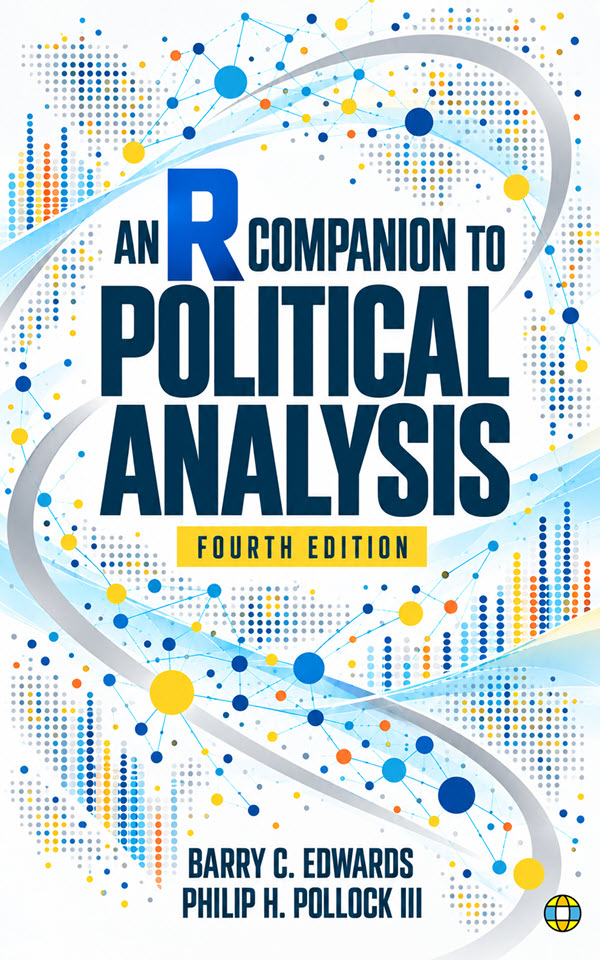
An R Companion to Political Analysis, Fourth Edition

Political questions. Practical R skills.

Build confidence with guided examples, current political datasets, and scripts you can adapt for your own research. Find book information and resources for course planning, your first lab, or your next chapter.

Buying options

Choose a format below to see seller links as they become available.

Ebook edition

Seller links coming soon.

An R Companion to Political Analysis, Fourth edition

About the Book

A practical companion for political science research methods courses, from descriptive statistics and visualization to hypothesis tests and regression. Pair it with The Essentials of Political Analysis, Seventh Edition or another methods text.

Why Choose the Fourth Edition?

Product Details

Authors
Barry C. Edwards and Philip H. Pollock III
Edition
Fourth edition
Publisher
Political Science Data
Publication date
October 2026
Formats
Print and ebook
Print ISBN
979-8-3495-6414-7
Ebook ISBN
979-8-1828-4127-6
Software
R and the RCPA4 package; RStudio recommended

For Instructors and Students

Expand a chapter on this page to explore its topics and find links to supporting materials.

Contents and Chapter Resources

Expand a section for its overview, outline, and supporting resources.

Front Matter
An introduction to the book's approach and authors, publication information, and a quick reference to the RCPA4 functions used throughout the book.
  • Preface
  • Copyright
  • About the Authors
  • A Quick Reference Guide to RCPA4 Functions

Getting Started with R (An Introduction)
Set up R, install and load RCPA4, and check your installation with welcomeC(). Tour the R environment, add RStudio, and work through common setup problems so you are ready to follow the book's examples.
  • About R
  • Installing R
  • A Quick Tour of the R Environment
  • Installing the "RCPA4" Package
  • Test Your Set-Up
  • A Closer Look: Troubleshooting Installation Problems
  • Installing RStudio
  • Instant Access to Tutorials and Resources
  • Glossary

🛠 Chapter R code downloads: links coming soon
📚 Related reading: Essentials, 7e, Introduction: The Scientific Approach to Politics
🎥 Tutorial videos (third-edition collection)
📖 Defined terms: base version of R, Comprehensive R Archive Network (CRAN), datasets, integrated development environment (IDE), missing package problem, package dependency, packages, R console, R session, RCPA4
1. Using R for Data Analysis
Build a working foundation in R: enter commands, create and access objects, use function arguments, and save reusable scripts. Practice with the Widget Factory, manage graphical and text output, export tables and figures with printC, and find help when a command does not work.
  • 1.1 Interacting with R
  • 1.2 Objects
    • 1.2.1 Examples of Objects
    • 1.2.2 Creating Objects
    • 1.2.3 Accessing an Object's Values
    • 1.2.4 A Closer Look: Accessing Some of an Object's Values
    • 1.2.5 A Closer Look: R Environments
  • 1.3 Functions
    • 1.3.1 Using a Function's Arguments
    • 1.3.2 Common Arguments in RCPA4 Package Functions
  • 1.4 Practice Using R: The Widget Factory Needs Your Help!
  • 1.5 Working with R Scripts
  • 1.6 Managing R Output: Graphics and Text
  • 1.7 Creating Tables and Figures with printC Argument
  • 1.8 Getting Help
  • Glossary

🛠 Chapter R code downloads: links coming soon
📚 Related reading: Essentials, 7e, Chapter 1: The Definition and Measurement of Concepts
🎥 Tutorial videos (third-edition collection)
📖 Defined terms: assign, assignment operator, arguments, character string, charts, companion functions, data frame, function, generic syntax, global environment, indexing, keyword matching, list, matrices, missing value (NA), object, open source, optional arguments, packages, positional matching, R console, R session, R documentation, R scripts, required arguments, scalars, subset, tables, vector, working directory, workspace
2. Descriptive Statistics
Choose descriptive statistics that fit nominal, ordinal, and interval-level variables. Read frequency tables, summarize central tendency and dispersion, customize plots, distinguish weighted from unweighted results, and inspect individual cases to understand the patterns behind a summary.
  • 2.1 Identifying Levels of Measurement and R Classes
    • 2.1.1 Categorical Measures
    • 2.1.2 Quantitative Measures
    • 2.1.3 Why It Matters
  • 2.2 Describing Nominal Variables
    • 2.2.1 Generating Tables of Descriptive Statistics
    • 2.2.2 Using Tables and Figures to Describe Distributions of Values
  • 2.3 Describing Ordinal Variables
    • 2.3.1 Describing Two Variables in One Table
    • 2.3.2 Assessing the Dispersion of Ordinal Variables
  • 2.4 Describing Interval-Level Variables
    • 2.4.1 Using Statistics to Describe Interval Variables
    • 2.4.2 Visualizing Dispersion with Histograms
    • 2.4.3 Additional Functions for Describing Variables
  • 2.5 Modifying Plot Labels, Limits, and Colors
  • 2.6 Weighted Versus Unweighted Analysis
  • 2.7 Obtaining Case-Level Information
  • Glossary

🛠 Chapter R code downloads: links coming soon
📚 Related reading: Essentials, 7e, Chapter 2: Measuring and Describing Variables
🎥 Tutorial videos (third-edition collection)
📖 Defined terms: bar chart, binary variables, bins, categorical variable, central tendency, continuous variables, cumulative percentage, discrete variables, dispersion, factor, frequency distribution table, histogram, interquartile range, interval-level, kurtosis, level of measurement, logical values, nominal-level, numeric, ordered factors, ordinal-level, range, ratio variables, sampling weight, skewness, standard deviation, unordered factors, unweighted data, variance, weighted data
3. Creating and Transforming Variables
Create variables with mathematical and logical operators, build dummy variables, and combine categories without losing track of their meaning. Modify variable attributes, center and standardize numeric measures, create rankings, and construct an additive index for later analysis.
  • 3.1 Applying Mathematical and Logical Operators to Variables
    • 3.1.1 Mathematical Operators
    • 3.1.2 Logical Operators
    • 3.1.3 Planning a Variable Transformation
  • 3.2 Creating Dummy Variables
  • 3.3 Adding or Modifying Variable Attributes
    • 3.3.1 Labels
    • 3.3.2 Class Attribute
    • 3.3.3 Levels of a Variable's Values
  • 3.4 Collapsing Variables into Simplified Categories
  • 3.5 Centering, Standardizing, and Ranking Numeric Variables
  • 3.6 Creating an Additive Index
  • Glossary

🛠 Chapter R code downloads: links coming soon
📚 Related reading: Essentials, 7e, Chapter 3: Creating and Transforming Variables
🎥 Tutorial videos (third-edition collection)
📖 Defined terms: additive index, attributes, center, class attribute, concatenate, cutpoints, dummy variables, factor, interval notation, levels, logical operators, logical values, mathematical operators, metadata, missing value (NA), numeric, NULL, per capita, recoding protocol, standardize, variable labels, $z$ scores
4. Making Comparisons
Compare political outcomes using cross-tabulations and mean comparisons, including comparisons with interval-level independent variables. Create plots from summary data, interpret differences across groups, and practice debugging techniques that help you diagnose and correct problems in R code.
  • 4.1 Creating Cross-Tabulations to Make Comparisons
  • 4.2 Mean Comparison Analysis
  • 4.3 Making Comparisons with Interval-Level IVs
    • 4.3.1 Cross-Tabulations with Interval-Level IVs
    • 4.3.2 Mean Comparisons with Interval-Level IVs
  • 4.4 Creating Plots from Summary Data
  • 4.5 Debugging and Troubleshooting R Code
  • Glossary

🛠 Chapter R code downloads: links coming soon
📚 Related reading: Essentials, 7e, Chapter 4: Proposing Explanations, Framing Hypotheses, and Making Comparisons
🎥 Tutorial videos (third-edition collection)
📖 Defined terms: checking your code, column percentages, counts, cross-tabulations, debugging, dependent variable, factor and numeric variables, independent variable, mean comparison analysis, mean comparison table, observation-level data, summary data
5. Graphing Relationships and Describing Patterns
Choose graphs to suit binary, nominal, ordinal, and interval-level dependent variables. Use bar charts, line plots, boxplots, and scatterplots to reveal relationships, then customize labels, colors, and other graphical elements to communicate political patterns clearly.
  • 5.1 Graphs for Binary DVs
    • 5.1.1 Simple Bar Charts
    • 5.1.2 Simple Line Plots with Ordinal-Level IVs
    • 5.1.3 Graphs with Interval-Level IVs
  • 5.2 Graphs for Nominal DVs
    • 5.2.1 Clustered Bar Charts
    • 5.2.2 Multiple Line Plots with Ordinal IVs
    • 5.2.3 Graphs with Interval-Level IVs
  • 5.3 Graphs for Ordinal-Level DVs
    • 5.3.1 Using Bars or Lines to Represent Select Values
    • 5.3.2 Mosaic Plots
    • 5.3.3 Graphs with Interval-Level IVs
  • 5.4 Graphs for Interval-Level DVs
    • 5.4.1 Plotting Means with Bars
    • 5.4.2 Plotting Means with Lines
    • 5.4.3 Box Plots
    • 5.4.4 Scatterplots
  • 5.5 A Closer Look: Creating Custom Graphs with R
    • 5.5.1 The Formula Syntax
    • 5.5.2 The Grammar of Graphics and ggplot2
    • 5.5.3 Graphics Devices and Saving Custom Figures
  • Glossary

🛠 Chapter R code downloads: links coming soon
📚 Related reading: Essentials, 7e, Chapter 5: Graphing Relationships and Describing Patterns
🎥 Tutorial videos (third-edition collection)
📖 Defined terms: aggregated data, base R graphics, box plots, clustered bar chart, formula syntax, graphical parameters, grammar of graphics, graphics device, interquartile range, jitter, layers, markers, mosaic plot, multiple line chart, outliers, overplotting, scatterplot, simple bar chart, simple line chart, strip chart
6. Random Assignment and Sampling
Use random assignment to create experimental groups and analyze the results of an experiment. Draw random samples, select cases for qualitative research, and connect these practical tools with ethical analysis, clear reporting, replication, and transparency.
  • 6.1 Random Assignment
    • 6.1.1 Two Groups with Equal Probability
    • 6.1.2 Multiple Groups with Varying Probabilities
  • 6.2 Analyzing the Results of an Experiment
    • 6.2.1 Assessing Random Assignment
    • 6.2.2 Evaluating Treatment Effect on Categorical Outcome
    • 6.2.3 Evaluating Treatment Effect on Interval Outcome
  • 6.3 Random Sampling
    • 6.3.1 Simple Random Samples
    • 6.3.2 Systematic Random Samples
    • 6.3.3 Clustered Random Samples
    • 6.3.4 Stratified Random Samples
  • 6.4 Selecting Cases for Qualitative Analysis
    • 6.4.1 Most Similar Systems
    • 6.4.2 Most Different Systems
  • 6.5 Analyzing Data Ethically: Clarity, Replication, and Transparency
    • 6.5.1 Ethical Issues in Data Analysis
    • 6.5.2 A Practical Guide: Ten Tips for Writing R Scripts
  • Glossary

🛠 Chapter R code downloads: links coming soon
📚 Related reading: Essentials, 7e, Chapter 6: Research Design, Research Ethics, and Evidence of Causation
🎥 Tutorial videos (third-edition collection)
📖 Defined terms: cluster random sample, clusters, comments, discrete distribution, human subjects, period, population, random assignment, random seed value, replication, robustness checks, sample, sampling with replacement, simple random sample, starting value, stratified random sample, stratum, systematic random sample
7. Making Controlled Comparisons
Add control variables to cross-tabulations and mean comparisons to examine whether an observed relationship holds within groups. Interpret controlled tables and graphs, work with interval-level controls, and customize legends to make more complex comparisons readable.
  • 7.1 Cross-Tabulation Analysis With a Control Variable
    • 7.1.1 Start with a Basic Cross-Tabulation
    • 7.1.2 Adding Control Variables
    • 7.1.3 Evaluating Controlled Cross-Tabulations
    • 7.1.4 Options for Graphing Controlled Cross-Tabulations
  • 7.2 Mean Comparison Analysis With Control Variables
    • 7.2.1 Start with a Basic Mean Comparison Table
    • 7.2.2 Adding Control Variables
    • 7.2.3 Evaluating a Controlled Mean Comparison
    • 7.2.4 Options for Graphing Controlled Mean Comparisons
  • 7.3 Controlled Comparisons with Interval-Level Control Variables
    • 7.3.1 Crosstabulation Example
    • 7.3.2 Mean Comparison Example
  • 7.4 A Closer Look: Customizing Plot Legends
  • Glossary

🛠 Chapter R code downloads: links coming soon
📚 Related reading: Essentials, 7e, Chapter 7: Making Controlled Comparisons
🎥 Tutorial videos (third-edition collection)
📖 Defined terms: additive relationships, control variable, controlled comparison, controlled cross-tabulation, controlled mean comparison table, direction, factor, interactive relationship, legend, numeric, spurious relationship, strength
8. Foundations of Statistical Inference
Use R to explore sampling distributions, standard errors, and the uncertainty surrounding sample estimates. Work with normal and Student's t distributions, construct confidence intervals and margins of error, and interpret what these quantities tell you about population proportions and means.
  • 8.1 Using R to Understand Inferential Statistics
    • 8.1.1 Estimating a Population Proportion with Sample Data
    • 8.1.2 Estimating a Population Mean with Sample Data
    • 8.1.3 Using Probability Distributions to Simulate Raw Data
  • 8.2 Expected Shape of Sampling Distributions
    • 8.2.1 Central Limit Theorem and the Normal Distribution
    • 8.2.2 Normal Distribution of Sample Proportions
    • 8.2.3 Normal Distribution of Sample Means
    • 8.2.4 The Standard Normal Distribution
    • 8.2.5 The Empirical Rule (68-95-99.7 Rule)
  • 8.3 Confidence Intervals and Margins of Error
    • 8.3.1 Critical Values for CIs
    • 8.3.2 A Closer Look: R's Normal Distribution Functions
    • 8.3.3 Reporting the CI of a Sample Proportion
    • 8.3.4 Reporting the CI of a Sample Mean
  • 8.4 Student's t Distribution: When You're Not Completely Normal
    • 8.4.1 The t Distribution's Role in Inferential Statistics
    • 8.4.2 Critical Values of t Distributions
    • 8.4.3 A Closer Look: R's t Distribution Functions
  • Glossary

🛠 Chapter R code downloads: links coming soon
📚 Related reading: Essentials, 7e, Chapter 8: Foundations of Statistical Inference
🎥 Tutorial videos (third-edition collection)
📖 Defined terms: binomial distribution, confidence intervals, critical values, cumulative density function, degrees of freedom, empirical rule, inferential statistics, margin of error, normal distribution, point estimate, population, population parameters, probability, probability density function, probability distribution, quantile function, sample, sampling distributions, simulation, standard deviation, standard error, standard error of a sample mean, standard error of a sample proportion, standard normal distribution, $t$ distribution, $z$ scores
9. Hypothesis Tests with One or Two Samples
Translate research questions into null hypotheses and test claims about one proportion, one mean, or differences between two proportions or means. Interpret test statistics and p-values, distinguish independent from paired samples, and choose the procedure that fits your comparison.
  • 9.1 Role of the Null Hypothesis
  • 9.2 Testing a Hypothesis About One Sample Proportion
  • 9.3 Testing the Difference Between Two Sample Proportions
    • 9.3.1 Testing the Difference of Proportions with z Scores and P-values
    • 9.3.2 CI for the Difference of Proportions
    • 9.3.3 A Closer Look: Changing the Order of Groups 1 and 2
    • 9.3.4 Comparing Two Similarly Coded Variables (x1 vs. x2)
  • 9.4 Testing a Hypothesis About One Sample Mean
  • 9.5 Testing the Difference between Two Sample Means
    • 9.5.1 Variants of the Difference of Means Test
    • 9.5.2 Testing the Difference of Means with the testmeansC() Function
    • 9.5.3 CI for the Difference of Means
    • 9.5.4 Testing the Difference of Means Assuming Equal Variances
    • 9.5.5 Testing the Difference of Means with Two Similarly Coded Variables
    • 9.5.6 A Closer Look: Paired Difference of Means Test
  • Glossary

🛠 Chapter R code downloads: links coming soon
📚 Related reading: Essentials, 7e, Chapter 9: Hypothesis Tests with One or Two Samples
🎥 Tutorial videos (third-edition collection)
📖 Defined terms: alpha, alternative hypothesis, assumptions about variance, confidence intervals, critical values, directional hypothesis, null hypothesis, null hypothesis significance testing (NHST), one-tailed and two-tailed $P$-values, one-tailed test, one-sample test, $P$-value, $P$-value approach, paired observations, pooled variance, research hypothesis, standard error, statistical significance, $t$ statistic, two-sample test, Type I and Type II errors, $z$ statistic
10. Chi-Square Test and Analysis of Variance
Test relationships between categorical variables with chi-square and assess their strength with measures of association, including controlled comparisons. Use single-factor and two-factor analysis of variance to compare means across groups and interpret the evidence alongside substantive differences and graphical results.
  • 10.1 The Chi-Square Test of Independence
    • 10.1.1 How the Chi-Square Test Works
    • 10.1.2 Conducting a Chi-Square Test
    • 10.1.3 Example with Nominal Independent Variable
    • 10.1.4 A Closer Look: R's Chi-Square Distribution Functions
    • 10.1.5 A Closer Look: Other Applications of Chi-Square Tests
  • 10.2 Measuring the Strength of Association between Categorical Variables
    • 10.2.1 Lambda
    • 10.2.2 Somers' d
    • 10.2.3 Cramer's V
  • 10.3 Chi-Square Test and Measures of Association in Controlled Comparisons
    • 10.3.1 Analyzing an Ordinal-Level Relationship with a Control Variable
    • 10.3.2 Analyzing a Nominal-Level Relationship with a Control Variable
  • 10.4 Analysis of Variance
    • 10.4.1 How ANOVA Works
    • 10.4.2 Single-Factor ANOVA
    • 10.4.3 Two-Factor ANOVA
    • 10.4.4 A Closer Look: R's F Distribution Functions
  • Glossary

🛠 Chapter R code downloads: links coming soon
📚 Related reading: Essentials, 7e, Chapter 10: Chi-Square Test and Analysis of Variance
🎥 Tutorial videos (third-edition collection)
📖 Defined terms: analysis of variance (ANOVA), asymmetrical measure, chi-square distribution, chi-square test statistic, concordant, discordant, and tied pairs, conditional distributions, Cramer’s $V$, degrees of freedom, expected frequencies, $F$ distribution, $F$ statistic, lambda, marginal distribution, measures of association, null hypothesis, observed frequencies, omnibus test, $P$-value, proportional reduction in error (PRE), single-factor, Somers’ $d$, statistical independence, statistical significance, sum of squares between groups, sum of squares within groups, symmetrical measure, total sum of squares, two-factor
11. Correlation and Bivariate Regression
Measure linear association with correlation and estimate bivariate regression models. Interpret coefficients and model fit, visualize fitted relationships and predictions, account for weighted observations, and create tables that communicate regression results.
  • 11.1 Correlation Analysis
    • 11.1.1 Correlation between Two Variables
    • 11.1.2 Correlation among More Than Two Variables
    • 11.1.3 A Closer Look: Other Types and Applications of Correlation Analysis
  • 11.2 Bivariate Regression Analysis
    • 11.2.1 Are Democratic Countries More Peaceful?
    • 11.2.2 Turnout in the Battleground States Example
    • 11.2.3 Using Regression Results to Make Informed Predictions
    • 11.2.4 R-Squared and Adjusted R-Squared: What's the Difference?
  • 11.3 Visualizing Bivariate Regression Analysis
    • 11.3.1 Scatterplots with Regression Lines
    • 11.3.2 Visualizing Regression Analysis with Categorical IVs
    • 11.3.3 A Closer Look: Alternatives to Base R Plotting Functions
    • 11.3.4 What If a Scatterplot Doesn't Show a Linear Relationship?
  • 11.4 A Closer Look: Regression Analysis with Weighted Observations
  • 11.5 Creating Tables of Regression Results
  • Glossary

🛠 Chapter R code downloads: links coming soon
📚 Related reading: Essentials, 7e, Chapter 11: Correlation and Bivariate Regression
🎥 Tutorial videos (third-edition collection)
📖 Defined terms: academic-style table, adjusted R-squared, bivariate regression model, coefficients table, correlation matrix, expected or fitted values, intercept and slope coefficients, linear regression line, model object, ordinary least squares (OLS), other correlation coefficients, Pearson’s correlation coefficient, regression coefficient, R-squared, scatterplot
12. Multiple Regression
Estimate multiple regression models to assess relationships while holding other predictors constant. Work with categorical predictors and multiple dummy variables, interpret interaction effects, and visualize model predictions to explain how relationships vary across groups and values.
  • 12.1 Estimating a Multiple Regression Model
    • 12.1.1 Voter Turnout Revisited
    • 12.1.2 Another Look at Democratic Peace
  • 12.2 Regression with Multiple Dummy Variables
    • 12.2.1 Estimating the Regression Model
    • 12.2.2 Interpreting Results
    • 12.2.3 A Closer Look: Changing the Reference Category
    • 12.2.4 Visualizing the Analysis
  • 12.3 Interaction Effects in Multiple Regression
    • 12.3.1 Introducing the Interaction Term
    • 12.3.2 Estimating and Interpreting the Model
    • 12.3.3 Visualizing Interactive Relationships
  • 12.4 Visualizing Multiple Regression Analysis
    • 12.4.1 One Categorical IV and One Interval IV
    • 12.4.2 Visualizing Regression with Two Interval IVs
    • 12.4.3 Visualizing Regression with Two Categorical IVs
    • 12.4.4 A Closer Look: Visualizing Multiple Regression with Many IVs
  • Glossary

🛠 Chapter R code downloads: links coming soon
📚 Related reading: Essentials, 7e, Chapter 12: Multiple Regression
🎥 Tutorial videos (third-edition collection)
📖 Defined terms: additive regression model, base terms, bubble plot, character expansion, confidence bar, dummy variables, interaction term, model object, multiple regression analysis, parallel regression lines, partial effect, prediction frame, reference category, regression plane, three-dimensional figures
13. Analyzing Regression Residuals
Compare observed and fitted values, calculate squared and standardized residuals, and use diagnostic plots to examine regression assumptions. Test normality and constant variance, investigate unusual observations, and decide how to address or disclose problems revealed by your diagnostics.
  • 13.1 Expected Values, Observed Values, and Regression Residuals
    • 13.1.1 Example from Bivariate Regression Analysis
    • 13.1.2 Residuals from Multiple Regression Analysis
  • 13.2 Squared and Standardized Residuals
    • 13.2.1 Squared Residuals
    • 13.2.2 Standardized Residuals
  • 13.3 Assumptions about Regression Residuals
  • 13.4 Analyzing Graphs of Regression Residuals
    • 13.4.1 Histogram of Regression Residuals
    • 13.4.2 Residual Diagnostic Plots
  • 13.5 Testing Regression Assumptions with Residuals
    • 13.5.1 Testing Assumption that Residuals Are Normally Distributed
    • 13.5.2 Testing the Constant Variance Assumption
    • 13.5.3 Regression Diagnostics for Multiple Regression Analysis
  • 13.6 What If You Diagnose Problems with Residuals?
  • 13.7 A Closer Look: Other Regression Diagnostic Tests
  • Glossary

🛠 Chapter R code downloads: links coming soon
📚 Related reading: Essentials, 7e, Chapter 13: Analyzing Regression Residuals
🎥 Tutorial videos (third-edition collection)
📖 Defined terms: assumptions of linear regression model, Breusch-Pagan test, fitted values, histogram of regression residuals, homoscedasticity and heteroscedasticity, influential observation, Jarque-Bera test, leverage, model object, normal distribution, observed values, outliers, Q-Q plots, regression residuals, residual standard error, residuals vs. fitted plot, squared residuals, standardized residuals, sum of squared errors, two components of regression model
14. Logistic Regression
Model binary outcomes by connecting probabilities, odds, and logged odds. Estimate logistic regressions with one or several predictors, interpret coefficients and odds ratios, and plot predicted probabilities for categorical and interval-level predictors, separately and in combination.
  • 14.1 Odds, Logged Odds, and Probabilities
  • 14.2 Estimating Logistic Regression Models
    • 14.2.1 Logistic Regression with One IV
    • 14.2.2 Reporting and Interpreting Odds Ratios
    • 14.2.3 Marginal Effects and Expected Changes in Probability
    • 14.2.4 Evaluating Model Fit
  • 14.3 Logistic Regression with Multiple IVs
    • 14.3.1 Estimating the Model
    • 14.3.2 Odds Ratios and Model Fit Statistics
    • 14.3.3 A Closer Look: Analysis with Weighted Observations
  • 14.4 Plotting PPs with One IV
    • 14.4.1 Interval-Level IVs
    • 14.4.2 Categorical IVs
  • 14.5 Plotting PPs with Multiple IVs
    • 14.5.1 One Categorical IV and One Interval IV
    • 14.5.2 Multiple Categorical IVs
    • 14.5.3 Two Interval-Level IVs
    • 14.5.4 A Closer Look: Plotting PPs with Many IVs
  • Glossary

🛠 Chapter R code downloads: links coming soon
📚 Related reading: Essentials, 7e, Chapter 14: Logistic Regression
🎥 Tutorial videos (third-edition collection)
📖 Defined terms: binary variables, classification table, deviance, full effect, instantaneous effect, inverse logit, logged odds, logistic regression, marginal effect, marginal effects at representative values, marginal effects at the means, model object, odds, odds ratio, predicted probability curves, prediction frame, probability, pseudo R-squared measures, $z$ statistic
15. Doing Your Own Political Analysis
Turn an original research question into a feasible political analysis using practical research designs. Find and load R datasets, import Excel files and HTML tables or SPSS and Stata data, check imported values, and organize a research report from its question and prior research through results and conclusions.
  • 15.1 Practical Research Designs
    • 15.1.1 Variations on Existing Analysis
    • 15.1.2 Classic Political Science Topics
    • 15.1.3 Existing Theories in Different Contexts
    • 15.1.4 New and Emerging Topics and Research Questions
  • 15.2 Reading R-Format Datasets
  • 15.3 Importing Data into R
    • 15.3.1 Microsoft Excel Datasets
    • 15.3.2 Data from HTML Tables
    • 15.3.3 A Closer Look: Importing SPSS- and Stata-Formatted Datasets
    • 15.3.4 Checking Imported Data
  • 15.4 Writing It Up
    • 15.4.1 The Research Question
    • 15.4.2 Previous Research
    • 15.4.3 Data, Hypotheses, and Analysis
    • 15.4.4 Conclusions and Implications
  • Glossary

🛠 Chapter R code downloads: links coming soon
📚 Related reading: Essentials, 7e, Chapter 15: Conducting Your Own Political Analysis
🎥 Tutorial videos (third-edition collection)
📖 Defined terms: comma separated values, codebook, data import, limitations, literature review, metadata, Microsoft Excel, package dependencies, .rda or .RData file, .rds file, rectangular data, replication datasets, SPSS, Stata, working directory
Appendix: The American National Election Study (ANES) Dataset
Definitions and coding information for variables in the ANES 2024 dataset, covering respondents, elections, political attitudes, and policy preferences.
  • About the ANES 2024 Dataset
    • Survey Design, Weights, and Sample
  • About ANES Respondents
    • Demographics, Household, and Life Experiences
    • Personal Financial Condition
  • Variables by Category
    • Abortion Policy
    • COVID Pandemic
    • Candidate Traits and Campaign Events
    • Crime, Guns, and Policing
    • Democracy, Trust, and Political Conflict
    • Economic Conditions, Work, and Well-Being
    • Election Rules and Democratic Process
    • Feeling Thermometers: Candidates and Parties
    • Feeling Thermometers: Groups
    • Foreign Policy and National Security
    • Gender Roles and Family Values
    • LGBTQ Policy
    • Government Approval and Performance
    • Health, Environment, and Science
    • Immigration and National Identity
    • Media, Attention, and Social Media
    • Parties, Ideology, and Issue Ownership
    • Personal Voting Behavior
    • Political Interest, Knowledge, and News Attention
    • Political Participation Beyond Voting
    • Race, Discrimination, and Equal Treatment
    • Social Norms and Values
    • Taxes, Spending, and Economic Policy
    • Voting Access and Voting Problems
Appendix: The Debate Experiment Dataset
Definitions and coding information for variables in the presidential debate experiment dataset, including subject characteristics, experimental assignment, and measured outcomes.
  • About the Debate Dataset
    • Experiment Administration
  • Variables by Category
    • Subject Characteristics
    • Measured Outcomes
Appendix: The GSS 2024 Dataset
Definitions and coding information for variables in the GSS 2024 dataset, covering respondents, social attitudes, political participation, and public policy preferences.
  • About the GSS 2024 Dataset
    • Case Identification & Design
    • Survey Administration
    • Survey Weights
  • About GSS Respondents
    • Core Demographics
    • Education & Employment
    • Family & Children
    • Household Composition
  • Variables by Category
    • Abortion & Reproductive Policy
    • Civil Liberties & Tolerance
    • Crime & Punishment
    • Democracy & Governance
    • Economic Conditions
    • Economic Inequality & Redistribution
    • Elections & Voting
    • Gender & Family Attitudes
    • Government Spending & Policy Preferences
    • Health & Wellbeing
    • Immigration & National Identity
    • Institutional Confidence
    • Leisure & Lifestyle
    • Media & Information
    • National Identity & Patriotism
    • Political Identity & Participation
    • Race & Inequality Attitudes
    • Religion
    • Social Trust & Social Capital
    • Values & Social Norms
Appendix: The States Dataset
Definitions and coding information for variables in the States dataset, organized by topics such as demographics, elections, the economy, and public policy.
  • About the States Dataset
    • Identifiers
  • Variables by Category
    • Abortion
    • Civic Culture
    • Courts and Justice
    • Demographics
    • Economy
    • Education
    • Elections and Representation
    • Environment
    • Geography
    • Guns
    • Health
    • Housing
    • Immigration
    • LGBTQ Rights
    • Religion
    • Technology
Appendix: The World Dataset
Definitions and coding information for variables in the World dataset, organized by topics such as government, economic conditions, health, and development.
  • About the World Dataset
    • Identifiers
  • Variables by Category
    • Demographics
    • Economy
    • Education
    • Environment
    • Government and Politics
    • Health
    • Internet and Media
    • Justice System
    • Religion
    • Social/Development
    • Women's Rights